Quickstart: Transcribe Audio in Under 5 Minutes
The Wisprs API lets you transcribe any audio or video source and export results as SRT, VTT, JSON, or plain text. This guide gets you from zero to your first transcript in under 5 minutes.
1. Get an API key
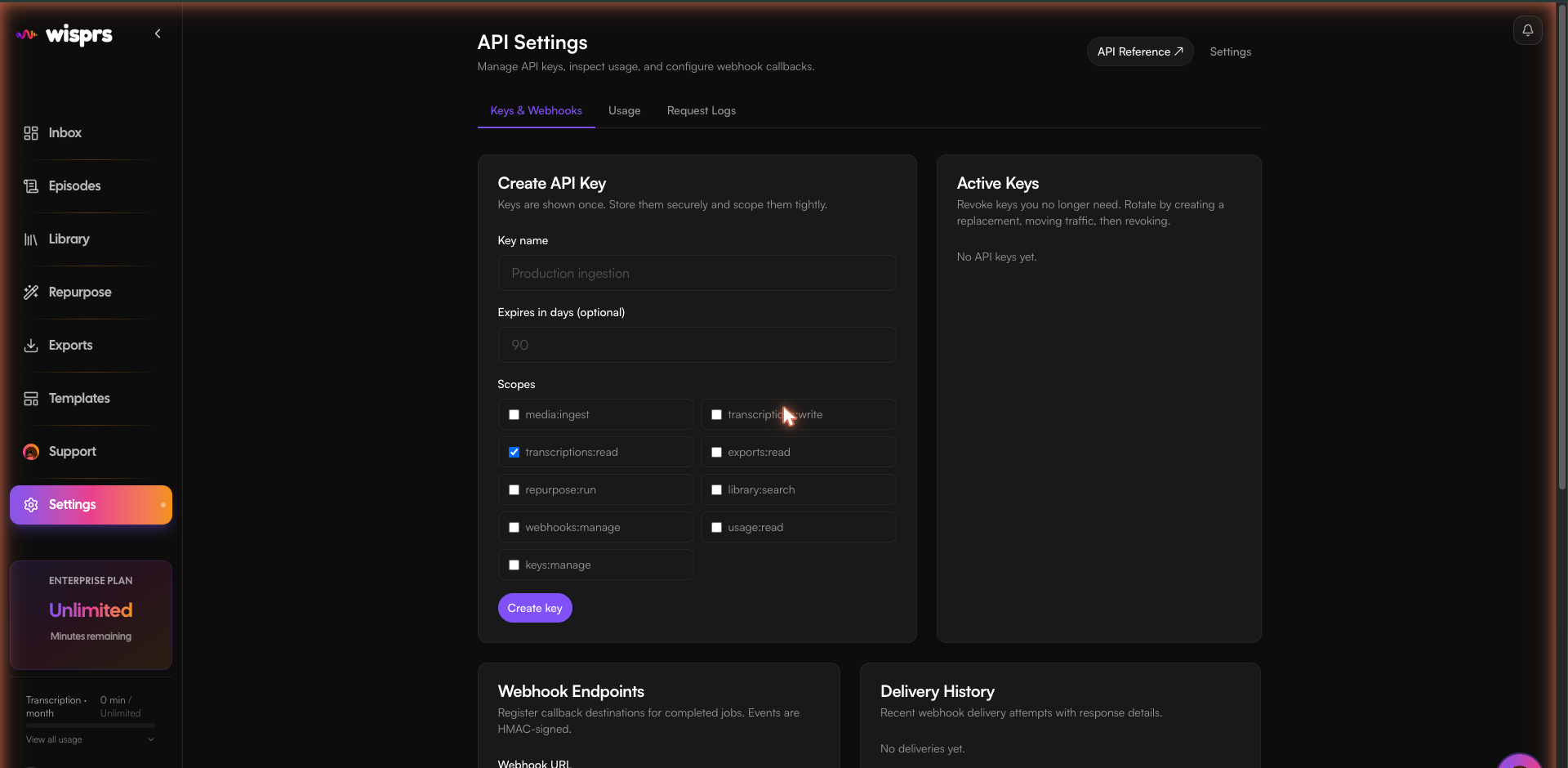
Go to Dashboard → API Settings and create a key. Grant at minimum the scopes media:ingest and transcriptions:read.
2. Install the SDK
npm install @wisprs/sdkpip install wisprs# No install needed — use curl directly3. Ingest a URL
Submit a YouTube, TikTok, or direct audio URL. You get a job ID back immediately.
import { WisprsClient } from '@wisprs/sdk';

const client = new WisprsClient({ apiKey: process.env.WISPRS_API_KEY! });

const job = await client.transcriptions.create({
  source: { url: 'https://youtube.com/watch?v=dQw4w9WgXcQ' },
  language: 'en',
});

console.log(job.id); // → 42
import os
from wisprs import WisprsClient
client = WisprsClient(api_key=os.environ["WISPRS_API_KEY"])
job = client.transcriptions.create(
source={"url": "https://youtube.com/watch?v=dQw4w9WgXcQ"},
language="en",
)
print(job.id) # → 42curl -X POST https://wisprs.co/api/v1/media/ingest \
-H "Authorization: Bearer sk_your_api_key" \
-H "Content-Type: application/json" \
-d '{"url":"https://youtube.com/watch?v=dQw4w9WgXcQ","language":"en"}'{
"success": true,
"data": { "jobId": 42, "status": "queued" }
}4. Wait for the transcript
The SDK's jobs.wait() polls until the job completes (default 2s interval, 2m timeout). Or poll manually — the status field moves from pending → processing → completed.
const result = await client.jobs.wait(job.id);
console.log(result.transcriptText); // → "Never gonna give you up..."
result = client.jobs.wait(job.id)
print(result.transcript_text) # → "Never gonna give you up..."# Poll until status is "completed"
curl https://wisprs.co/api/v1/jobs/42 \
-H "Authorization: Bearer sk_your_api_key"5. Export as SRT
const srt = await client.transcriptions.export(job.id, { format: 'srt' });
// "1\n00:00:00,000 --> 00:00:03,240\nNever gonna give you up\n\n2\n..."
srt = client.transcriptions.export(job.id, format="srt")
# "1\n00:00:00,000 --> 00:00:03,240\nNever gonna give you up\n\n2\n..."curl "https://wisprs.co/api/v1/transcriptions/99/export?format=srt" \
-H "Authorization: Bearer sk_your_api_key" \
-o subtitles.srtNext steps
- Set up a webhook to avoid polling entirely.
- Configure scopes to restrict what each key can do.
- Read the Jobs guide for quality settings, speaker diarization, and retry logic.
- Explore the API reference for repurposing, semantic search, and more.
FAQ
Is there a free tier?
Yes. The free plan includes 100 requests per month and 30 minutes of audio transcription at no cost. No credit card required to get started.
What audio and video formats are supported?
The API accepts public URLs (YouTube, TikTok, Instagram, podcast feeds, direct audio/video links) as well as file uploads. Common formats include MP3, MP4, M4A, WAV, OGG, and WebM.
How long does transcription take?
Most jobs complete in a fraction of the audio duration. A 10-minute video typically processes in 1–3 minutes. Long-form content (1+ hour) may take proportionally longer during peak load.