Wisprs vs Turboscribe
Wisprs vs TurboScribe: speaker labels, summaries and TXT/SRT/VTT/DOCX exports (30 min/day free, from $25/mo) vs cheap unlimited Whisper transcription at $10/mo.

Wisprs
Transcription first. Files in, clean transcripts out.

TurboScribe
Cheap, unlimited Whisper-based audio and video transcription in 134+ languages.
Switching from TurboScribe? Try Wisprs on one real file
Clean transcripts with speaker labels in minutes. Export TXT, SRT, VTT, DOCX. 100+ languages.
30 minutes a day free. No credit card. Cancel anytime.
Trustpilot 2.4/5 across about 111 reviews, with 52% one-star; billing, "unlimited" caps and support are the recurring lows.
“limits not clearly disclosed at the time of purchase”— Trustpilot
Competitor ratings are from third-party review sites and reflect scores at the time of writing; they change over time. Trustpilot is the only substantial review pool (about 111 reviews, bot-gated, count drifts across snapshots) plus 2026 review aggregators, captured 2026-06-30. G2 has too few reviews to cite. Confirm live rates on turboscribe.ai/pricing.
Wisprs vs TurboScribe: feature comparison
| Capability |  TurboScribe TurboScribe |  WisprsRecommended WisprsRecommended |
|---|---|---|
| Pricing model | One flat Unlimited plan: $10/mo billed yearly or $20/mo monthly, one person | Flat minute buckets: Pro $25/mo (1,000 min), Studio $79 (3,000), Agency $149 (5,000) |
| Entry paid price | Unlimited from $10/mo (annual) | Pro $25/mo (1,000 min) |
| Free tier | 3 transcriptions a day, each up to 30 min, one file at a time | 30 min/day free (no card) |
| Accuracy | Whisper-based; strong on clean English, dips on rare languages and messy audio | Excellent on clear audio; varies by accent, language and recording quality |
| Languages | 134+ languages plus translation | 100+ languages with auto-detect |
| Speaker labels | Speaker recognition mode; Whisper-based, no native speaker ID | Speaker labels on paid plans |
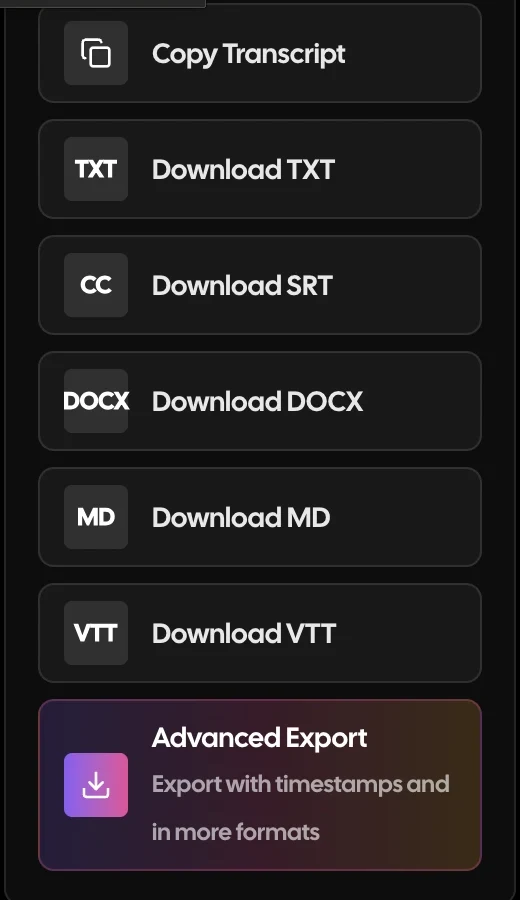
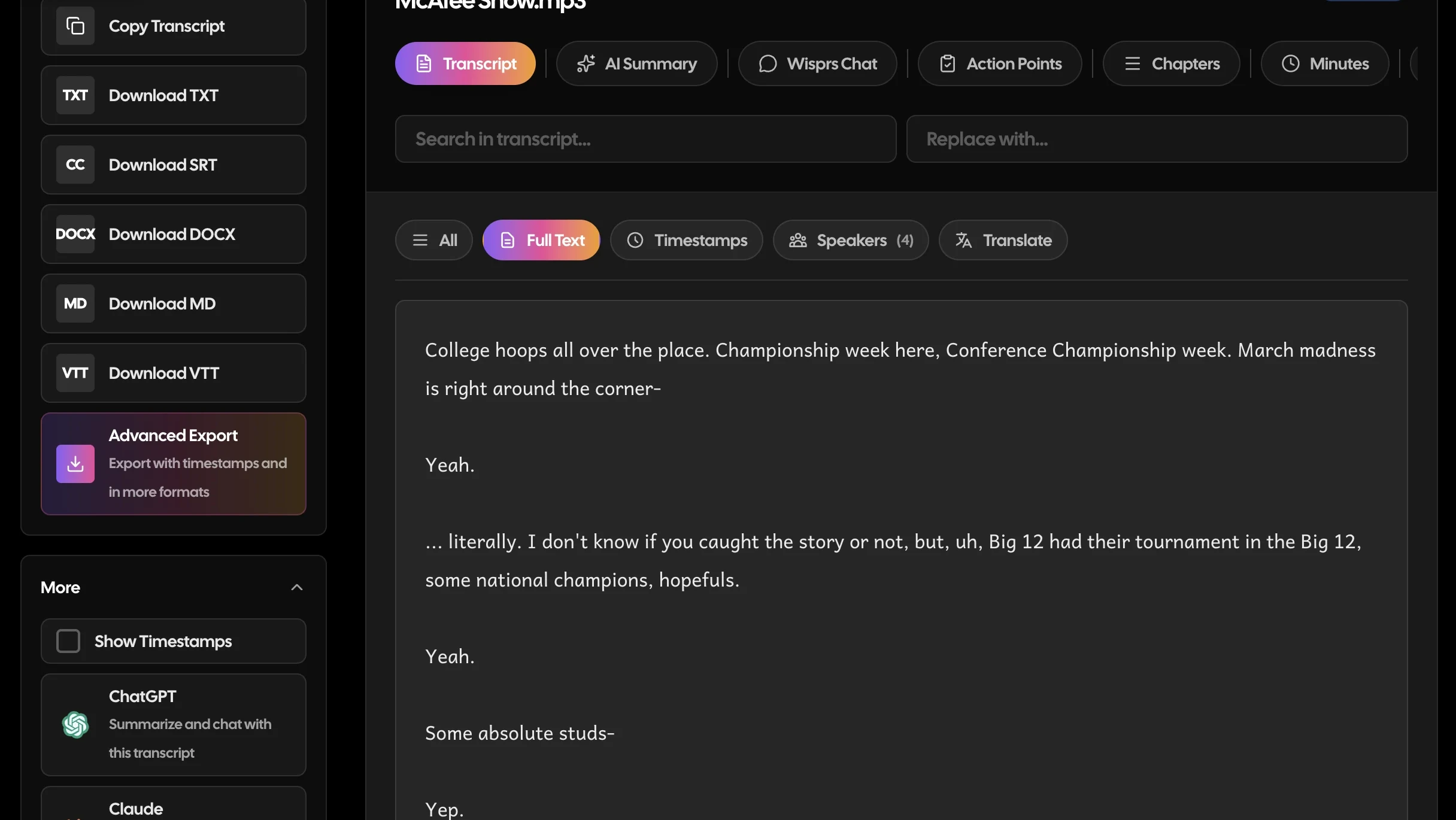
| Exports | DOCX, PDF, SRT, VTT, bulk export | TXT, SRT, VTT, DOCX (plus Markdown and JSON) |
| File upload workflow | Files up to 10 hr / 5 GB, 50 at a time; users report stuck uploads | Upload audio or video within plan minutes; server-side queue |
| Meeting bot | No | No bot; record, then upload |
| Summaries and repurposing | None: transcription and export only | Summaries, chapters, action points and exports on paid plans |
Why teams switch from TurboScribe
Recurring themes from public reviews and community threads — paraphrased, with sources. Your mileage will vary; this is what users most often cite.
"Unlimited" that quietly is not
Users who bought the Unlimited plan hit undisclosed errors and limits on large bulk uploads and were prompted to upgrade; the caps were not clear at purchase.
“limits not clearly disclosed at the time of purchase”— Trustpilot
Reported on Trustpilot, 2026 review roundups
Support that cannot keep up
Consistent reports of slow or absent customer support, leaving paying users stuck when something breaks.
Reported on Trustpilot, 2026 review roundups
Billing and cancellation friction
Continued monthly charges after cancellation and account lock-outs, with no responsive support channel to resolve them.
Reported on Trustpilot
Pure transcription only
No AI summaries, collaboration or integrations. It transcribes and exports, nothing more, so it does not fit a content or team workflow.
Reported on review roundups
Choose TurboScribe if you want high volumes of low-cost automatic transcripts and little else, it is a Whisper-based tool built for cheap, "unlimited" file transcription. Choose Wisprs if you want accurate transcripts plus the workflow around them: summaries, chapters, subtitles, team features, and publish-ready content in 100+ languages. Both are file-upload AI transcription tools, so they overlap more than most, the real difference is what happens after the transcript.
At a glance
- Turboscribe is transcription-only: upload, transcribe (cheaply, at volume), export.
- Wisprs is transcription plus content operations: transcribe, summarize, edit, export, publish.
- Turboscribe competes on price and volume; Wisprs competes on workflow and output.
See the difference on your own audio
Upload a file, get a transcript with speaker labels, and export it. Free for 30 minutes a day.
30 minutes a day free. No credit card. Cancel anytime.
What Turboscribe is built for
Turboscribe is a budget-friendly, high-volume transcription tool built on OpenAI's Whisper. It offers "unlimited" transcripts on its paid plan, long-file support (up to 10 hours or 5 GB per file), 134+ languages, speaker recognition, multiple speed/accuracy modes, and exports to DOCX, PDF, SRT, and VTT. For someone who needs many raw transcripts cheaply, it is hard to beat on price.
Where Turboscribe is the reasonable pick:
- High volumes of raw transcripts on a tight budget
- Solo users who just need the text and an export
- Clear audio where Whisper performs well
Its trade-offs: accuracy can drop on noisy, accented, or overlapping audio; reviews frequently flag billing and support frustrations; and it largely stops at the transcript, there is limited summarization, no real content workflow, and little for teams. It is a transcription utility, not a content platform.
Where Wisprs is different
Wisprs starts where Turboscribe stops. You get accurate transcripts, then turn them into usable outputs without changing tools.
- Beyond raw text: summaries, chapters, action points, and topic extraction on paid plans.
- Team workflows: batch upload and parallel processing on higher tiers, plus API access on top plans.
- Structured exports: TXT, SRT, VTT, DOCX, Markdown, and JSON with word-level timestamps and speaker labels.
- Privacy by default: audio is not stored unless you opt in.
Feature by feature
Core job
Wisprs: Accurate transcripts plus summaries, chapters, and publish-ready content. Turboscribe: High-volume, low-cost raw transcription.
Engines
Wisprs: Self-hosted Whisper-based models on the free tier; ElevenLabs Scribe (with speaker labels) on paid plans. Turboscribe: OpenAI Whisper with selectable speed/accuracy modes.
After the transcript
Wisprs: Summaries, action points, chapters, topics, and Q&A on paid plans. Turboscribe: Limited summarization; mostly transcript export.
Teams and scale
Wisprs: Batch processing on higher tiers and API access on top plans. Turboscribe: Single-user, volume-focused transcribing.
Exports
Wisprs: TXT, SRT, VTT, DOCX, Markdown, JSON (word-level timestamps, speakers, chapters). Turboscribe: DOCX, PDF, SRT, VTT.
Who should choose Turboscribe
- You need lots of cheap transcripts and not much else
- You work solo and just want the text
- Budget is the deciding factor
Who should choose Wisprs
- You want summaries, subtitles, or articles, not just raw text
- You work as a team or process files in batches
- You want a content workflow and dependable support
Pricing at a glance (2026)
Prices are directional as of 2026: confirm current rates on each vendor's site.
TurboScribe wins on cheap unlimited raw transcripts; Wisprs costs more because it adds summaries, chapters, team batch processing, and content workflows TurboScribe leaves out. Current rates are on the TurboScribe pricing page. Note that TurboScribe's Trustpilot score is 2.4/5 across about 111 reviews, with billing and "unlimited" caps the recurring complaints. Wisprs plans are on the pricing page, and you can test a short file with the free audio to text tool first.
Bottom line
For cheap, high-volume raw transcripts, Turboscribe is a strong value. The moment you need summaries, subtitles, team workflows, or content you can publish, Wisprs earns its place, and you can start on the free tier to compare accuracy and outputs on your own files. For adjacent tools, see the TurboScribe alternatives roundup and the Wisprs features page.
TurboScribe vs Wisprs: the verdict
Both are solid tools that serve different jobs. Here is the quick version.
Choose TurboScribe if you
- You need very high volumes of raw transcripts on the smallest possible budget
- You transcribe in rare or low-resource languages that TurboScribe covers (134+)
- You work solo and only need the text and an export
- Your files are huge (up to 10 hours or 5 GB) and you bulk-upload dozens at once
- You do not need summaries, speaker labels or team features
Choose Wisprs if you
- You need speaker labels you can rely on for interviews and multi-speaker audio (paid plans)
- You want summaries, chapters and action points, not just raw text
- You want clear per-plan minutes with no hidden caps and a 30-day money-back guarantee
- You export TXT, SRT, VTT or DOCX and publish the result
- You want to test accuracy on your own files free first (30 minutes a day, no card)
How to switch from TurboScribe to Wisprs
Takes a few minutes. Nothing to install, no downtime.
In TurboScribe, open each transcript and use Export (or the bulk export on the Unlimited plan) to download DOCX or SRT files, and keep your original audio.
Create a free Wisprs account: 30 minutes of transcription a day, no credit card.
Upload your audio or video files; Wisprs auto-detects the language and, on paid plans, adds speaker labels.
Review the transcript, generate a summary if you are on a paid plan, then export TXT, SRT, VTT or DOCX.
Still comparing? Test it, no card needed
30 free minutes a day covers an interview or a podcast episode.
30 minutes a day free. No credit card. Cancel anytime.
Frequently asked questions
Is Wisprs more accurate than Turboscribe?
Both use modern speech recognition and do well on clear audio. Wisprs' paid ElevenLabs Scribe engine tends to handle multi-speaker and difficult audio more reliably, while Turboscribe's accuracy can vary by mode and audio quality. Test both on your own files to compare.
Is Turboscribe cheaper than Wisprs?
Turboscribe competes hard on price for unlimited raw transcription. Wisprs includes a free tier and minute-based plans, and adds summaries, exports, and team features, so the value comparison depends on whether you need just transcripts or a full workflow. See pricing.
Can Wisprs turn a transcript into content?
Yes. On paid plans Wisprs generates summaries, chapters, action points, and topics, and exports subtitles and documents, turning a transcript into publish-ready content. Turboscribe largely stops at the raw transcript.
How much does Wisprs cost compared to TurboScribe?
TurboScribe has one paid plan, Unlimited, at $10 a month billed yearly or $20 month to month, for one person. Wisprs Pro is $25 a month for 1,000 minutes, Studio $79 for 3,000 and Agency $149 for 5,000. For raw volume TurboScribe is cheaper; Wisprs charges more and adds speaker labels, summaries and a content workflow. Confirm current rates on both pricing pages.
Which has the better free plan, Wisprs or TurboScribe?
TurboScribe's free plan allows three transcriptions a day, each up to 30 minutes, one file at a time. Wisprs gives 30 minutes of transcription a day with no credit card. The daily minute totals are similar; the difference is what you get after the transcript, since Wisprs free includes the editor and TXT and SRT exports while TurboScribe free is a stripped-down version of its paid tool.
Which supports more languages, Wisprs or TurboScribe?
TurboScribe lists 134+ languages plus translation, and that breadth is a genuine strength. Wisprs supports 100+ languages with automatic detection. For most business languages both are fine; for rare or low-resource languages TurboScribe covers more, though its own reviewers note accuracy drops on those.
Does Wisprs offer speaker identification like TurboScribe?
Wisprs labels speakers on paid plans and lets you rename them in the editor before you export. TurboScribe offers a speaker recognition mode on top of Whisper, but there is no native speaker ID, and multi-speaker output is less consistent. For interviews and panels, test both on the same file.
How do I switch from TurboScribe to Wisprs?
Export your existing transcripts from TurboScribe (DOCX or SRT, or the bulk export on Unlimited) and keep the original audio, then sign up for Wisprs free, upload your files, and export TXT, SRT, VTT or DOCX. There is no import step: Wisprs works from your recordings. If TurboScribe is still the right fit for bulk raw transcription, some users keep it for volume and use Wisprs for the files that need speaker labels and summaries.
Can I cancel Wisprs or get a refund?
Yes. Cancel any time from your account settings; access continues to the end of the billing period and there is no cancellation fee. Wisprs paid plans also carry a 30-day money-back guarantee. TurboScribe reviewers on Trustpilot report continued charges after cancelling and slow support, so keep a record of your cancellation there.
Does either tool use a meeting bot?
No. Both are file-first: you upload audio or video and get a transcript back. Neither joins live calls. If you need in-meeting notes, look at a dedicated notetaker; for recordings, both work, and the choice comes down to price versus speaker labels, summaries and exports.
Which is better for podcasters, researchers or teams?
Solo users transcribing large volumes of raw audio on a tight budget will find TurboScribe hard to beat. Podcasters, researchers and teams who need speaker labels, summaries, clean exports and predictable plan minutes usually choose Wisprs. The TurboScribe alternatives list covers other options, and the Wisprs features page shows the post-transcript workflow.
Compare Wisprs to other tools
 ComparisonWisprs vs Happy Scribe
 ComparisonWisprs vs Scribie
 ComparisonWisprs vs OpenAI Whisper
 ComparisonWisprs vs Fathom
 ComparisonWisprs vs Sembly AIPricingFree tier, Pro, Studio, Agency.All featuresSpeaker ID, exports, 100+ languages.Free audio to textTry one file, no account.
Looking for a TurboScribe alternative that just transcribes?
Upload audio or video, get clean transcripts with speaker labels in minutes, and export to TXT, SRT, VTT, or DOCX. Plans from $20/mo billed annually when you need more.
30 minutes a day free. No credit card. Cancel anytime.