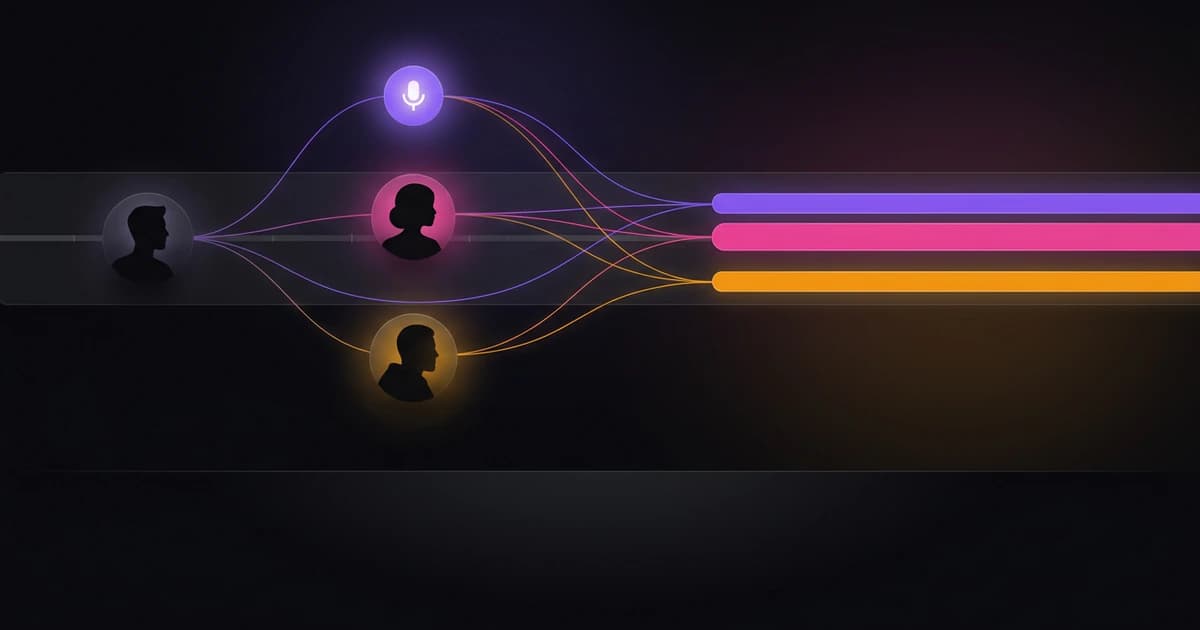
Advanced Transcription Techniques

Advanced transcription workflow: design a repeatable, high‑accuracy pipeline
An advanced transcription workflow is a repeatable pipeline that turns audio or video into accurate, publish-ready transcripts and action-ready artifacts while balancing speed, cost, and quality. It is designed for creators, teams, and agencies that need consistent outputs like subtitles, summaries, and structured notes without rework. At a high level, the workflow follows six stages: plan, capture, process, quality assurance, export, and automate or scale.
Why an advanced transcription workflow matters
A basic transcription setup might get words onto a page, but it rarely produces reliable, reusable content at scale. As soon as you handle multiple files, different speakers, or tight deadlines, inconsistency becomes expensive. Editors spend time fixing speaker labels, subtitles drift out of sync, and summaries vary in usefulness depending on who prepares them.
A structured workflow solves these problems by standardizing inputs and outputs. It reduces manual correction time, improves accuracy across projects, and ensures every transcript can be reused for publishing, accessibility, or analysis. For creators, this means faster episode turnaround and better SEO content. For teams, it creates alignment across meetings, research, and documentation.
The biggest benefit is predictability. When your workflow is defined, you can estimate turnaround time, cost, and output quality before you even upload a file. That predictability becomes critical when you scale from occasional transcription to daily or batch processing.
The core framework: Plan → Capture → Process → QA → Export → Automate
A strong transcription workflow is not about a single tool. It is about how each stage connects, and how decisions at one stage affect the next. The six-step framework below gives you a practical structure you can adapt.
1) Plan: define inputs, outputs, and constraints
Every reliable workflow starts with clear intent. Before you process a file, decide what the transcript is for and what “done” looks like. A transcript for subtitles requires different formatting than one used for internal notes or research tagging.
Planning also includes choosing the right balance between speed and accuracy. Faster processing can be acceptable for internal use, while publishable content often requires higher accuracy and speaker labeling.
Use this quick planning checklist to lock your setup before you begin:
- Define the output type: subtitles, article draft, meeting notes, or archive
- Decide accuracy threshold based on use case
- Determine whether speaker identification is required
- Choose language handling (single language vs translation needed)
- Set naming conventions for files and versions
- Estimate turnaround time and acceptable cost per file
A small investment in planning removes ambiguity later, especially when multiple people touch the same transcript.
2) Capture: record clean, structured audio
Even the best transcription engine cannot fully compensate for poor audio. Capture quality has a direct impact on accuracy, speaker separation, and downstream editing effort. This stage is often overlooked, but it is where many transcription problems begin.
Clear audio with minimal background noise improves recognition accuracy significantly. Consistent mic placement and recording levels also help when processing multiple files in a batch. For meetings or interviews, encouraging speakers to avoid interruptions improves both transcription clarity and diarization results.
Instead of relying on post-processing fixes, treat capture as part of the workflow. A few consistent habits can dramatically reduce editing time later:
- Use dedicated microphones when possible instead of laptop audio
- Record each speaker on separate tracks when your setup allows it
- Keep background noise predictable and controlled
- Avoid overlapping speech in structured recordings like podcasts
- Maintain consistent file formats and sample rates across sessions
Better inputs lead to more reliable outputs, which compounds across every stage of the pipeline.
3) Process: convert audio to text with the right engine settings
Processing is where your audio becomes a transcript, but the key decision here is not just which tool to use. It is how you configure the processing for your specific use case. This includes selecting the appropriate engine, enabling features like language detection, and deciding whether to prioritize speed or accuracy.
Modern workflows often use multiple transcription engines depending on context. For example, a faster self-hosted model may handle rough drafts, while a higher-accuracy engine processes final content. Paid tiers in some platforms route to advanced models with built-in speaker identification, which reduces manual labeling work.
During processing, you should also decide whether to generate additional artifacts such as summaries, chapters, or action items. These outputs can save significant time later, especially for meetings or long-form content.
The goal is not just transcription, but structured output that aligns with your final use. That alignment reduces the need for repeated transformations later in the workflow.
4) QA: validate accuracy, speakers, and structure
Quality assurance is where a workflow becomes reliable. Even with high accuracy rates on most content, transcripts still require review, especially when they are used for publishing or client delivery.
QA should focus on the highest-impact issues rather than line-by-line perfection. Prioritize correcting names, technical terms, and speaker attribution, since these affect readability and credibility the most. Structural consistency also matters, particularly for subtitles or formatted documents.
A lightweight QA pass is often enough if the earlier stages are strong. The goal is not perfection, but consistency across outputs.
Focus QA efforts on these areas:
- Correct speaker labels and ensure consistent naming
- Fix obvious misheard words, especially domain-specific terms
- Align timestamps for subtitle accuracy if needed
- Standardize formatting (paragraphs, punctuation, line breaks)
- Validate summaries or generated insights against the source
When QA becomes predictable, it can be partially standardized or delegated, which supports scaling later.
5) Export: deliver the right format for the job
Exporting is more than downloading a text file. The format you choose determines how usable the transcript is in its final context. Subtitles require time-coded formats like SRT or VTT, while editorial workflows may need DOCX or structured JSON.
Choosing the correct export format upfront avoids rework and conversion errors. It also ensures compatibility with editing tools, publishing platforms, or analytics systems.
Different use cases benefit from different formats:
- TXT for simple reading or quick drafts
- SRT or VTT for subtitles and video platforms
- DOCX for editorial workflows and collaboration
- JSON for structured data, timestamps, and integrations
A well-designed workflow standardizes export formats per use case, so teams do not have to decide each time.
6) Automate and scale: turn the workflow into a system
Once your workflow is stable, the next step is to remove manual friction. Automation can include batch uploads, parallel processing, or automatic generation of summaries and metadata. This stage is where workflows evolve into pipelines.
Scaling does not mean adding complexity. It means reducing repeated decisions and enabling consistent output across many files. For agencies or teams, this often includes batching jobs and tracking progress across multiple transcripts.
Automation also includes operational reliability. Features like job recovery or retry handling ensure that long or complex transcriptions do not fail silently.
At this stage, your workflow should feel predictable. You know what goes in, what comes out, and how long it takes.
Real-world examples of advanced transcription workflows
To make the framework concrete, it helps to see how it applies in different scenarios. The structure remains the same, but the priorities shift depending on the use case.
Podcast creator workflow (fast turnaround, single episode)
A podcast creator typically prioritizes speed and publishability. The workflow starts with clean audio capture, often with separate tracks per speaker. Processing is configured for high accuracy, since the transcript may be repurposed into show notes or blog content.
After transcription, the creator runs a quick QA pass to fix names and adjust formatting. The transcript is then exported into subtitle format and a clean text version for content reuse. If summaries or chapters are generated, they can be used directly for episode descriptions.
This workflow is optimized for minimal editing and fast release cycles, often within hours of recording.
Remote meeting and research workflow (insights and action items)
For meetings or research interviews, the focus shifts from publication to insight extraction. Speaker identification becomes more important, since understanding who said what is critical.
After processing, the workflow emphasizes structured outputs like summaries, action items, and topic breakdowns. QA focuses on clarity rather than formatting perfection. The transcript may be stored alongside structured data for future reference.
This workflow turns conversations into actionable information, reducing the need to revisit raw recordings.
Agency batch processing workflow (scale and consistency)
Agencies handling multiple clients need a scalable system. Files are uploaded in batches, processed in parallel, and tracked through a consistent pipeline. Naming conventions and output formats are standardized across projects.
QA may be distributed across team members or applied selectively based on content type. High-priority files receive more attention, while lower-stakes content is processed with minimal review.
The key here is consistency. Every file follows the same pipeline, which makes it easier to manage deadlines and client expectations.
Common pitfalls and best practices
Even well-designed workflows can break down if small details are ignored. Most issues come from inconsistent inputs, unclear standards, or over-reliance on automation without validation.
One common mistake is skipping the planning stage. Without defined outputs, teams end up reformatting transcripts repeatedly. Another issue is poor audio quality, which increases editing time regardless of the transcription engine used.
Speaker labeling is another frequent challenge. If diarization is not enabled or supported, manual labeling becomes time-consuming. Even when it is available, unclear audio can reduce its effectiveness.
Cost management also becomes important at scale. Choosing high-accuracy processing for every file may not be necessary. Matching processing level to use case helps control costs without sacrificing quality.
To avoid these issues, apply a few consistent practices:
- Always define output formats before processing begins
- Match transcription settings to the importance of the content
- Use speaker identification when conversations involve multiple participants
- Maintain consistent file naming and version control
- Review a sample of transcripts regularly to catch systemic issues
These practices keep the workflow stable as volume increases.
How Wisprs supports advanced transcription workflows
Once you have a clear workflow, the next step is choosing tools that support each stage without adding friction. Wisprs is designed to align with this kind of structured pipeline, rather than forcing a one-size-fits-all approach.
At the processing stage, Wisprs routes transcription through multiple engines depending on your plan. Free users use self-hosted Whisper-based models with options to prioritize speed or quality, while paid plans use ElevenLabs Scribe models with native speaker identification. This flexibility allows you to match processing settings to your workflow rather than adapting your workflow to a single engine.
For scaling, Wisprs supports batch uploads and parallel processing on higher-tier plans, which is useful for agencies or teams handling multiple files. Real-time transcription via WebSocket is also available for live scenarios, such as streaming or events.
Post-processing features help turn transcripts into usable outputs. These include summaries, chapters, action items, and topic extraction on supported plans. Language auto-detection and translation support workflows that involve multilingual content.
Export options are aligned with different use cases. Free plans support TXT and SRT, while higher tiers include VTT, DOCX, and JSON exports with word-level timestamps. Transcript editing is available across plans, allowing teams to handle QA directly in the workflow.
If you want to see how these features fit into a full pipeline, you can explore the main product overview.
Quick start checklist and workflow template
If you want to implement this immediately, start with a simple, repeatable template. The goal is not perfection, but consistency across your first few runs.
Use this checklist as your baseline:
- Define your primary use case (publishing, notes, research, or subtitles)
- Set default processing settings (speed vs accuracy, diarization on or off)
- Establish file naming and storage conventions
- Choose standard export formats for each use case
- Create a lightweight QA checklist for reviewers
- Decide when to use batch processing or automation
You can adapt this template over time as your needs evolve, but starting with a clear structure will save significant time.
FAQ: advanced transcription workflows
What makes a transcription workflow “advanced”?
An advanced workflow is defined by repeatability, consistency, and structured outputs. It goes beyond basic transcription by including planning, QA, and automation stages that produce reliable results at scale.
How accurate can automated transcription be?
Accuracy varies based on audio quality, language, and speaker clarity. Many modern systems achieve around 99% accuracy on most clear content, but no system guarantees perfect results. QA remains important for high-stakes outputs.
When should I use speaker identification?
Use speaker identification when conversations involve multiple participants and attribution matters. This includes meetings, interviews, and panel discussions. It may not be necessary for single-speaker content like voiceovers.
What export format should I choose?
The format depends on your end use. SRT or VTT works best for subtitles, DOCX for editing, TXT for simple reading, and JSON for structured data or integrations.
How do I balance speed and cost?
Match processing settings to the importance of the content. Use faster, lower-cost options for internal drafts and higher-accuracy processing for publishable material. This approach keeps costs predictable.
Can I automate transcription workflows?
Yes, many workflows can be automated through batch processing, real-time transcription, and automatic generation of summaries or metadata. Automation works best when the underlying workflow is already consistent.
Next steps: put your workflow into practice
You now have a complete framework for designing an advanced transcription workflow that balances speed, accuracy, and usability. The next step is to apply it to your own content and refine it over time.
If you want a tool that supports this kind of structured pipeline, explore how Wisprs fits into each stage: /ai-transcription-software
When you are ready to move from experimentation to a repeatable system, you can also review plans and capabilities.